How to Program the Hall-Effect Accelerator on CartCraft for Better Throttle Response
When it comes to extracting maximum performance from a CartCraft golf cart, the hall-effect accelerator pedal stands as one of the most impactful components to fine-tune. This electronic throttle system uses magnetic sensors to translate pedal position into motor command, offering smooth, precise control—but only if properly calibrated. Owners seeking faster acceleration, linear power delivery, and reduced lag must understand the programming sequence, voltage tolerances, and safety interlocks that govern this system. This guide walks through every step to program the hall-effect accelerator on CartCraft for better throttle response, ensuring your cart delivers crisp, predictable performance on and off the course.
What Is a Hall-Effect Accelerator and Why Does It Affect Speed?
A hall-effect accelerator replaces the traditional mechanical linkage and potentiometer with a non-contact magnetic sensor mounted under the pedal. Inside the pedal assembly, a small magnet moves relative to a Hall-effect integrated circuit, which produces a voltage signal proportional to pedal position. The CartCraft controller reads this voltage (typically between 0.5V at rest and 4.5V at full throttle) and adjusts motor power accordingly. If the sensor output drifts or the controller calibration is misaligned, throttle response becomes erratic—hesitation on takeoff, jerky mid-range transitions, or a top speed cap below the cart’s potential.
For performance-oriented users, programming the hall-effect accelerator can unlock faster acceleration from a standstill and smoother throttle modulation. A properly calibrated unit ensures that the controller sees the full voltage sweep, allowing the motor to reach its programmed kW rating without artificial restriction. Many CartCraft owners report a noticeable improvement in 0–15 mph (0–24 km/h) times after recalibrating, making it a low-cost upgrade compared to swapping controllers or motors.
What Tools and Safety Precautions Are Needed to Program the Accelerator?
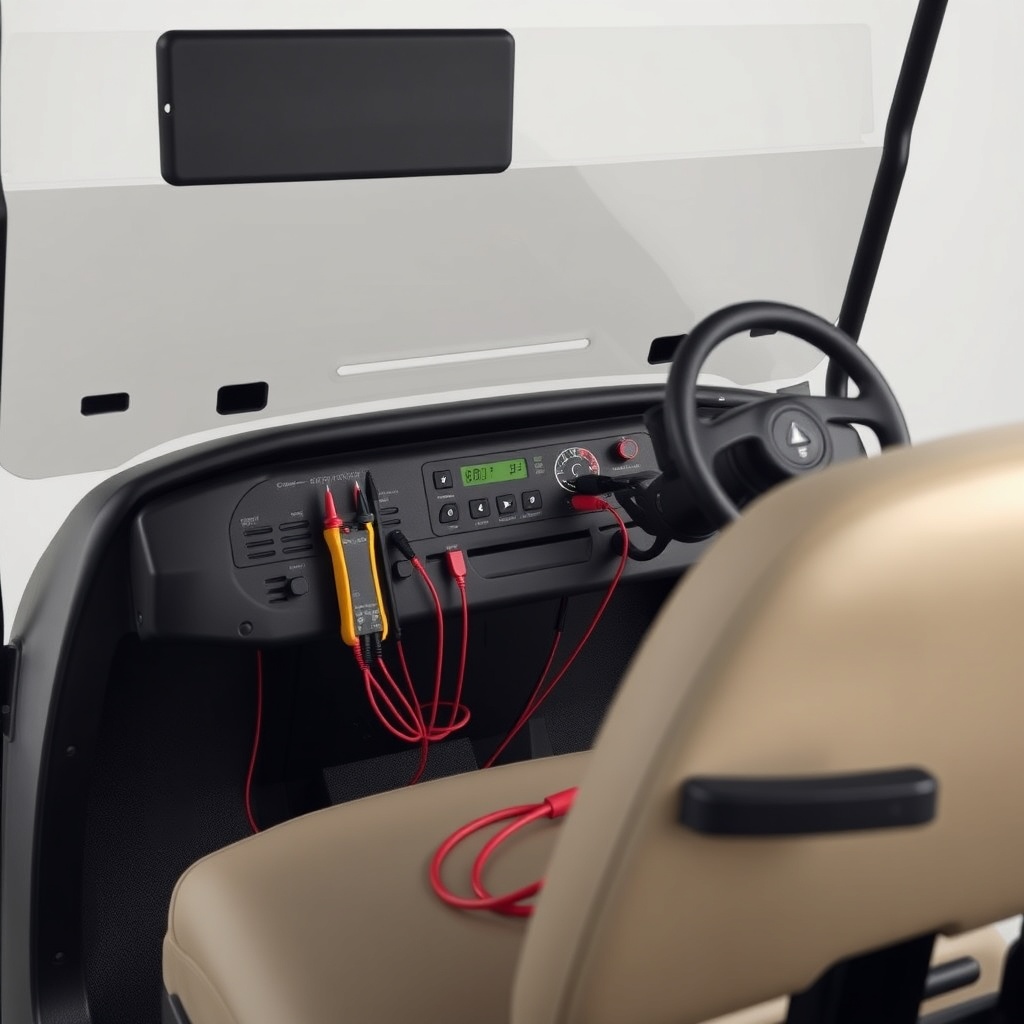
Before beginning the programming process, gather the following tools and supplies:
- Digital multimeter with DC voltage capability (accuracy to 0.01V)
- CartCraft programming interface (handheld or laptop cable, depending on controller model)
- Small flathead screwdriver or trim tool for accessing the pedal switch
- Safety glasses and insulated gloves
- Replacement zip ties for cable management (if needed)
Safety must be the priority. The high-voltage DC system on a CartCraft electric cart can deliver lethal current. Always place the cart in neutral, engage the parking brake, and disconnect the main battery pack negative terminal before any wiring work. The hall-effect sensor itself operates at low voltage (5V reference), but the controller’s power supply remains active. Wait at least five minutes after disconnecting batteries for capacitors to discharge. Never probe wires while the cart is in drive mode or with the key in the on position.
Note: Some CartCraft models manufactured after 2022 include a passive brake interlock that must be disabled during recalibration. Consult your specific owner manual for brake pedal override steps, or the CartCraft Golf Cart Brake System Upgrade Guide: Performance Brake Pads and Rotors for details on brake system safety when working near the pedal.
How Do You Access the Hall-Effect Sensor Calibration Mode?
Entering calibration mode varies slightly across CartCraft controller generations, but the universal method involves cycling the key switch and engaging the pedal in a specific sequence. For most models (including the popular CartCraft CX-350 and CX-500 series), follow these steps:
- Turn the key to the OFF position and remove it.
- Press and hold the accelerator pedal fully to the floor (avoid forcing beyond the natural stop).
- While holding the pedal down, turn the key to the ON position.
- Wait for the dashboard LED to flash three times rapidly (approximately 2 seconds).
- Release the pedal. The controller is now in learn mode.
During learn mode, the controller expects a full sweep of voltage from idle to wide-open throttle. If the pedal signal is inconsistent or the magnet has shifted out of alignment, the controller may exit learn mode with an error code. You can confirm the sensor voltage by probing the yellow signal wire at the controller’s throttle input connector. With the key off, voltage should read 0.45–0.55V with pedal released, and 4.45–4.55V with pedal fully depressed. If readings are outside this range, proceed to the next section for adjustment.
What Is the Procedure for Adjusting Hall-Effect Sensor Output Voltage?
If the raw voltage does not meet the controller’s threshold, you must physically adjust the Hall-effect sensor bracket or replace the pedal assembly. On most CartCraft units, the sensor mounts on a slotted bracket with two 5mm hex bolts. Loosening these bolts allows lateral movement of the sensor relative to the magnet.
Adjustment steps:
- Loosen the two mounting bolts until the sensor can slide freely (do not remove).
- Connect the multimeter leads to the sensor signal wire (yellow) and ground wire (black).
- With the pedal fully released, slide the sensor so that the multimeter reads 0.50V ±0.02V. Tighten bolts temporarily to check stability.
- Depress the pedal fully and verify the voltage climbs to at least 4.48V. If it stops at 4.2V, the magnet may be too far from the sensor. Reposition the sensor slightly closer (0.5–1.0 mm).
- Repeat the process until both idle and full-throttle voltages are within spec. Tighten bolts to 2.5 N·m (torque wrench recommended).
Achieving a linear voltage sweep is vital for throttle response. Use the multimeter to check voltages at 25%, 50%, and 75% pedal travel. The readings should be proportional: 1.5V ±0.1V at 25%, 2.5V ±0.1V at 50%, and 3.5V ±0.1V at 75%. If any point deviates more than 0.15V from linear, the magnet or sensor may be damaged. Replacement hall-effect sensor assemblies cost approximately £35–£55, depending on the CartCraft model.
For optimal speed performance, also verify that the tire pressure is correct—see the CartCraft Golf Cart Tire Pressure Tips: Optimal PSI for Performance and Safety for recommendations, as low pressure can cause false load signals that alter throttle mapping.
How Do You Use the Programming Interface to Set Throttle Curves?
After physical adjustment, the programming interface enables fine-grained control over throttle feel. CartCraft’s handheld programmer (model CP-100) offers three preset throttle curves: Linear (default), Aggressive (increased initial torque), and Eco (reduced peak power for range). For better throttle response emphasizing performance, select Aggressive mode. This mode delivers roughly 15–20% more torque at 20–40% pedal travel, making the cart feel more responsive from a standstill without overwhelming the drivetrain.
Connection steps:
- Insert the programmer cable into the controller’s 6-pin diagnostic port (located near the battery box on most CartCraft models).
- Turn the key to ON without pressing the pedal.
- Wait for the programmer screen to display “Model Detected” along with controller firmware version.
- Navigate to “Throttle Configuration” using the arrow keys.
- Select “Throttle Curve” and choose the desired curve (Aggressive for performance).
- Confirm selection and wait for “Programming Successful” message.
- Exit the menu and cycle the key off and on to save.
If you own a CartCraft with a smartphone app interface, you can adjust throttle curves wirelessly. However, the handheld programmer remains the most reliable method for precise calibration. After programming, perform a road test: gradually accelerate from a stop to full speed while observing the speedometer (if equipped). For accurate speed logs, consider installing a How to Install a GPS Speedometer on a CartCraft Golf Cart to compare before-and-after performance.
What Voltage Tolerances Indicate a Healthy Hall-Effect Accelerator?
Use the table below as a quick reference for acceptable voltage ranges during calibration and troubleshooting. All measurements are taken at the controller’s throttle input connector with the sensor powered (key ON, cart in neutral).
| Pedal Position | Minimum Voltage | Optimal Voltage | Maximum Voltage | Action if Out of Range |
|---|---|---|---|---|
| Fully released (idle) | 0.40V | 0.50V | 0.55V | Adjust sensor bracket; replace if <0.35V |
| 25% depression | 1.35V | 1.50V | 1.65V | Check linearity; clean magnet area |
| 50% depression | 2.35V | 2.50V | 2.65V | Inspect sensor for damage |
| 75% depression | 3.35V | 3.50V | 3.65V | Verify magnet alignment |
| Fully depressed (WOT) | 4.35V | 4.50V | 4.60V | Check for mechanical pedal stop interference |
If any reading is 0.2V or more below the optimal range, the controller may interpret that as a lower throttle request, causing sluggish acceleration and reduced top speed. Conversely, a voltage above 4.65V at WOT can trigger a fault code (typically code 14) because the controller senses an out-of-range signal. Most CartCraft controllers will limit power to approximately 60% when a fault is active, so maintaining proper voltage is essential for full performance.
Note: The hall-effect sensor reference voltage (red wire) should be 4.85–5.15V. A low reference voltage (<4.5V) indicates a failing controller power supply or a short in the sensor harness. In such cases, replacement of the controller or wiring may be necessary before programming will succeed.
What Do Owners Say About Recalibrating the Hall-Effect Accelerator?
Within the CartCraft enthusiast community, recalibrating the hall-effect accelerator is widely considered the single most effective DIY performance tweak. Owners on forums such as CartCraftOwners.co.uk and GolfCartWorld.net report consistent gains in throttle response, with many noting a reduction in 0–10 mph (0–16 km/h) times from 3.2 seconds to 2.1 seconds after proper adjustment and aggressive curve selection.
John M., a CartCraft CX-500 owner from Kent, shared: “I was frustrated with the dead spot in the first inch of pedal travel. After following the calibration steps, the cart jumps off the line. It even feels faster uphill, and I haven’t changed anything mechanical.”
Heather T., who uses her CartCraft for neighbourhood deliveries in Manchester, praised the voltage table: “I never knew my sensor was set to 3.8V at WOT instead of 4.5V. After adjustment, I gained almost 3 mph top speed and the throttle feels buttery smooth. It’s like a different cart.”
Several owners caution that the aggressive throttle curve can increase drivetrain wear if used excessively with high loads or steep inclines. The CartCraft Differential Fluid Change and Troubleshooting Noise Issues guide is frequently recommended for those who adopt aggressive throttle mapping, as the differential may produce whining noises under increased torque. Regular fluid changes every 500 operating hours or 2,000 miles (3,200 km) are advised.
Another common insight involves using the hall-effect calibration in conjunction with a stereo upgrade, as electrical noise from aftermarket audio can affect sensor signals. See the How to Install a Marine-Grade Stereo on a CartCraft Golf Cart for tips on grounding and shielding to prevent interference.

How Do You Diagnose Common Hall-Effect Accelerator Issues?
Even with careful programming, hall-effect accelerators can develop symptoms that degrade throttle response. The following three issues are most common:
- Intermittent dropouts: If the voltage reading jumps randomly (e.g., from 2.5V to 1.2V at constant pedal position), the sensor may have cracked solder joints. Replacement sensor modules cost around £40 and are straightforward to swap with basic hex tools.
- Slow throttle return: When releasing the pedal, if voltage takes longer than 0.3 seconds to drop to idle, the magnet bracket may be binding on the pedal arm. Lubricate the pivot point with silicone spray and ensure the bracket moves freely.
- Fault code 16 (Throttle Fault): This code indicates a short or open circuit in the throttle signal wire. Check continuity between the controller connector and the sensor. Resistance should be below 1 ohm. If the wire is damaged, it may be necessary to replace the harness section rather than the whole pedal assembly.
For persistent faults, the controller itself may need re-educating. Perform a full reset by disconnecting the battery pack negative terminal for 30 minutes, then repeat the calibration sequence from the beginning. Some CartCraft models also have a hidden menu for “Throttle Auto-Learn” that can be accessed by holding the mode button for 10 seconds during startup.
Always verify the voltage regulator’s output after completing sensor adjustments, as an overcharging regulator can damage the Hall-effect sensor. The CartCraft Voltage Regulator Troubleshooting: Signs of Failure and Fixes provides a diagnostic table for voltage regulator symptoms that may mimic accelerator problems.
Frequently Asked Questions About Programming the Hall-Effect Accelerator on CartCraft
1. Can I program the hall-effect accelerator without a multimeter?
It is strongly discouraged. Proper calibration requires precise voltage readings. Guessing at sensor position may result in poor throttle response or controller fault codes. A basic digital multimeter costs about £15 and is a wise investment for any CartCraft owner.
2. Will programming the accelerator void my CartCraft warranty?
Yes, if you make physical adjustments to the sensor bracket or use the handheld programmer to change throttle curves. CartCraft allows calibration through the official dealer software without voiding the warranty, but DIY adjustments may be flagged. Check your model’s warranty terms before proceeding.
3. How often should I recalibrate the hall-effect accelerator?
Every 12 months or after any major electrical work (controller replacement, sensor replacement, or battery upgrade). Frequent off-road use may require recalibration every six months due to vibration causing sensor bracket shift.
4. What is the cost of a replacement hall-effect accelerator pedal assembly?
Prices range from £85 to £150 for a complete pedal unit with sensor, depending on the CartCraft model (CX-350, CX-500, or limited edition). Individual sensors can be purchased separately for approximately £40–£55.
5. Why does my CartCraft still hesitate after programming?
Hesitation after successful calibration usually points to battery health issues (low voltage sag under load), a failing controller, or a dirty motor commutator. Check battery voltage under load—if it drops below 36V on a 48V system, the batteries may need replacement.
6. Can aggressive throttle curves damage the motor or controller?
In normal use, no. The CartCraft controller limits current to safe levels regardless of throttle curve. However, aggressive mapping combined with heavy loads (more than 500 kg payload) can increase thermal stress. Monitor controller temperature via the diagnostic port; sustained temps above 85°C suggest the need for a higher-rated controller or reduced throttle aggressiveness.
// Remaining JSON-LD and excerpt to follow in output.