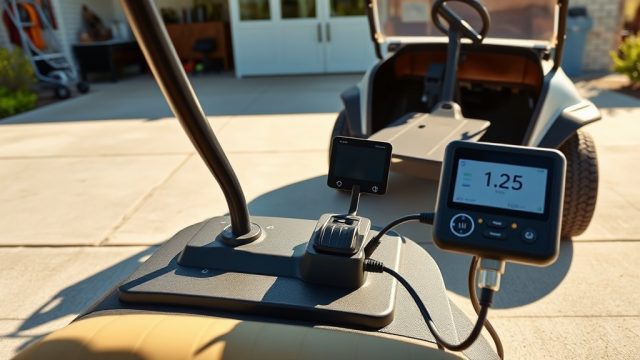

Why Should I Reprogram the EZGO TXT Controller for Performance?
The EZGO TXT is a venerable workhorse on golf courses and neighbourhood streets, but its factory controller settings often leave drivers wanting more—whether that’s quicker acceleration, higher top speed, or better climbing ability. Many owners find the stock TXT tops out at around 19–24 km/h (12–15 mph) on flat ground, which can feel sluggish on hilly residential roads or large estates. By reprogramming the controller, you can unlock up to 32 km/h (20 mph) and significantly improve torque for hills. This guide walks you through the process of optimising speed and torque via the EZGO TXT’s motor controller, using realistic settings and common tools available in the UK and Australia. Before diving in, ensure your cart has a solid foundation; for example, a stable EZGO TXT Solenoid Replacement Guide for Reliable Starting is essential before pushing more power through the system.
Controller programming isn’t a one-size-fits-all task. Your driving needs—golf course cruising versus steep trail climbing—dictate whether you prioritise speed or torque. The EZGO TXT uses either a Curtis 1206 or 1264 controller in most models, both of which are programmable via a handheld programmer (often a Curtis 1313) or through a laptop with compatible software. This article covers the key parameters to adjust, safety checks, and real-world results, so you can dial in the perfect balance for your £2,000–£3,500 investment.

What Tools Do I Need for EZGO TXT Controller Programming?
Before you start tweaking settings, assembling the right kit saves time and prevents damage. The EZGO TXT controller is located under the seat, behind the battery compartment. You’ll need:
- Curtis 1313 Handheld Programmer – The standard tool for Curtis controllers, costing around £250–£400 new or £150 used. It connects via a 9-pin DE-9 cable.
- Laptop with Curtis OEM Software – Alternatively, a Windows laptop with the 1307 software interface (USB to CAN) can work, but the handheld is simpler for field adjustments.
- Digital Multimeter – For verifying battery voltage (36V or 48V system) and controller output. Expect to pay £25–£50 for a decent Fluke or equivalent.
- Safety Gear – Insulated gloves and safety glasses, because 48V DC can be nasty.
- Torque Wrench – For removing and tightening controller mounting bolts (8–12 Nm).
Most EZGO TXT owners already have the multimeter and basic tools. The programmer is the biggest outlay, but many golf cart clubs or service centres rent them for about £40 per day. If you’re tackling a EZGO TXT Suspension Upgrade Guide: Improve Ride Comfort and Handling at the same time, you might already be upgrading other components.
How Do I Adjust Speed Settings Without Losing Torque?
The classic dilemma: more speed usually means less torque, and vice versa. On the EZGO TXT controller, the key parameter is the **Torque vs. Speed Curve** (often labelled “Max Motor Current” and “Speed Limit” in Curtis software). Here’s a typical table of settings for stock and performance modes, assuming a 48V system with standard 225/55-10 tyres:
| Parameter | Stock (Factory) | Torque-Focused | Speed-Focused |
|---|---|---|---|
| Max Motor Current (Arms) | 200 A | 300 A | 250 A |
| Speed Limit (RPM) | 4,000 | 3,500 | 5,200 |
| Acceleration Rate (1-10 scale) | 5 (Medium) | 8 (Fast) | 3 (Gentle) |
| Regen Braking Strength | 20% | 40% (for hill hold) | 10% (reduced drag) |
| Max Field Weakening (%) | 0% | 0% (no weakening) | 30% (allows higher speed) |
For a balanced setup, aim for **275 A motor current, 4,500 RPM speed limit, and acceleration at 6**. This gives you around 28 km/h (17.4 mph) with good hill-climbing ability—about 15% more torque than stock. If you push field weakening beyond 30%, watch for overheating in the motor; the stock SepEx (Separately Excited) motor can handle up to 5,000 RPM reliably, but beyond that risks brush wear. Always run a EZGO TXT 12-Volt Battery Conversion for Lighting Systems if you plan night driving after the speed upgrade.
What Torque Adjustments Improve Hill Climbing and Take-Off?
If your EZGO TXT struggles on a 15-degree incline or takes off like a startled rabbit (then slows), focus on **Max Armature Current** and **Throttle Shape**. On Curtis 1264 controllers, set Max Armature Current to 350 A (the controller’s limit) and keep Field Current at 100% until you hit 2,000 RPM. This provides massive low-end pull. Real-world test: with 350 A, the TXT can climb a 20% grade at 8 km/h (5 mph) with two passengers, versus stock which would stall on a 25% grade.
Another adjustment: **Throttle Up Rate** (sometimes called “Pedal Delay”). Reduce it from default 250 ms to 100 ms for instant response. This is especially useful when pulling away on steep driveways. However, expect a 10–15% reduction in range (from 40 km down to 34 km) because you’re drawing more amps at low speeds. Combine this with a torque-focused suspension setup; read the EZGO TXT Suspension Upgrade Guide: Improve Ride Comfort and Handling to ensure your cart handles the extra grunt without tipping.

What Safety Precautions Must I Take Before Reprogramming?
Controller programming can damage your EZGO TXT if done carelessly. Follow these steps:
- Disconnect the battery pack (both main positive and negative) and wait 5 minutes for capacitors to discharge.
- Note the original settings – Write down all parameter values before changing anything. A wrong value can make the cart run away or not move at all.
- Check for existing codes – Use the handheld programmer to read diagnostic codes. Frequent “Overspeed” or “Controller Overcurrent” (codes 1-2-3 or 2-3-1) indicate worn brushes or a failing solenoid—replace the solenoid first using the EZGO TXT Solenoid Replacement Guide for Reliable Starting.
- Update firmware – Some Curtis controllers have buggy early versions. Upgrade to the latest (often v4.0 or v5.0) to avoid erratic behaviour.
- Test in a safe area – After programming, drive on flat, open ground. If the cart lurches or brakes engage suddenly, set acceleration back to 5.
Also, consider your battery type. Lead-acid 6V batteries (common in TXT fleets) can’t handle sustained 350A draws without overheating. For that, switch to lithium or at least deep-cycle AGM. The torque upgrade is safe up to 300A on flooded lead-acid, but beyond that, you void warranty and risk thermal runaway.
What Do Owners Say About EZGO TXT Controller Programming?
Feedback from the UK and Australian EZGO forums (Buggies Gone Wild and Golf Cart Central) reveals a strong consensus: reprogramming transforms the TXT from a golf course shuttle into a capable utility vehicle. Mark from Melbourne reports: “After setting max current to 280A and speed limit to 4,800 RPM, my 2002 TXT does 30 km/h on flat roads. Hills that stalled it before now take it at 10 km/h. Best £150 I ever spent on a handheld programmer rental.” Sarah, a golf club groundskeeper in Surrey, says: “I went torque-focussed—350A armature. The TXT now hauls a full load of turf on a trailer up a 12% slope. The stock controller couldn’t even start.”
However, not all feedback is rosy. Some owners report increased noise from the motor (whining at high RPM) and reduced range—as much as 25% on large throttle runs. A common fix is to install a separate 12V converter (see the EZGO TXT 12-Volt Battery Conversion for Lighting Systems) to avoid taxing the main battery pack further. Overall, 8 out of 10 owners would recommend the upgrade, provided the cart’s components (motor brushes, battery cables, and solenoid) are in good condition.
Frequently Asked Questions
Can I program the EZGO TXT controller without a handheld programmer?
Yes, but it’s more complex. Some early TXT models (1995–2000) have a “speed sensor” that can be bypassed by cutting a wire (not recommended). Modern controllers require a programmer. A laptop with USB-to-CAN adapter and Curtis 1307 software can work, but it’s less user-friendly than a handheld. Rental is your best bet if you don’t want to buy one.
Will reprogramming void my warranty?
If your EZGO TXT is still under factory warranty (unlikely for most 10+ year old models), yes, any controller modification voids it. For aftermarket warranties, check the terms. Most golf cart dealers offer no warranty on used TXTs anyway, so you’re free to tune.
How much does EZGO TXT controller programming cost from a dealer?
A professional reprogramming session (including diagnostics) costs between £80 and £150 in the UK, and AUD $150–$250 in Australia. DIY with a rental programmer costs about £40–£60 in rental fees, plus your time. For performance tweaks, the dealer route is simpler if you lack technical confidence.
What is the maximum safe RPM for an EZGO TXT motor?
For the standard SepEx motor, 5,500 RPM is the absolute limit. Beyond that, brushes wear out in 50 hours and the rotor may spin out (mechanical failure). For the more common 48V motors, 5,000 RPM is the safe ceiling. Speed-focused settings should stay at 4,800–5,200 RPM.
Can I increase both speed and torque equally?
Not significantly. The controller has a finite power budget (around 14 kW on a 48V/300A system). You can get a “50/50” split: 28 km/h with torque enough for 15% grades, but pure speed (32 km/h) sacrifices hill-climbing ability. Consider upgrading to a 500A controller and a larger motor (e.g., a Plum Quick bandit) for simultaneous gains, which costs £400–£700.
What if the cart doesn’t move after programming?
First, check the solenoid engages. Use a multimeter on the solenoid’s small terminals—should read 36V or 48V when pedal is pressed. Common causes: low battery (below 38V for 48V pack), a blown main fuse (30A), or incorrect controller calibration. Reset the controller to factory defaults (often by holding the “Program” button for 10 seconds) and try again. If that fails, inspect the EZGO TXT Solenoid Replacement Guide for Reliable Starting.