

Introduction
Transforming your CartCraft golf cart into a mobile sound sanctuary is one of the most popular customization options available. Whether you are cruising the course, navigating a retirement community, or heading to the driving range, a quality sound system elevates every journey. This guide details everything needed to install a sound system on a CartCraft, from selecting components to waterproofing the installation. By following these steps, you can avoid common pitfalls and enjoy crystal-clear audio that complements your CartCraft’s unique style.
What Components Are Needed for a Stock CartCraft Sound System?
Before cutting any wires, gather the essential hardware. A basic CartCraft sound system requires a marine-grade head unit, a pair of 4-inch or 6.5-inch speakers, and a dedicated power source. For a standard 48-volt CartCraft model, you also need a voltage reducer (DC-to-DC converter) to drop power to 12 volts for the audio equipment. Consider a sealed head unit with Bluetooth and USB inputs, as these resist dust and moisture common on golf carts.
- Head unit: Look for a single-DIN marine stereo with at least 4 x 50W RMS output.
- Speakers: Choose a 6.5-inch coaxial set rated at least 75W RMS. Polypropylene cones and rubber surrounds last longer in outdoor conditions.
- Voltage reducer: A 48V to 12V, 30-amp step-down converter is typically sufficient for a head unit and two speakers.
- Wiring kit: Include 10 AWG power cable, 14 AWG speaker wire, and a fuse holder with a 15-amp blade fuse.
Remember that your CartCraft’s battery system is already handling draw from lights and the motor. A dedicated audio battery is optional but recommended if you plan to add an amplifier later. For guidance on maintaining battery health while adding accessories, see our article on CartCraft Battery Charging Best Practices for Extended Battery Life.
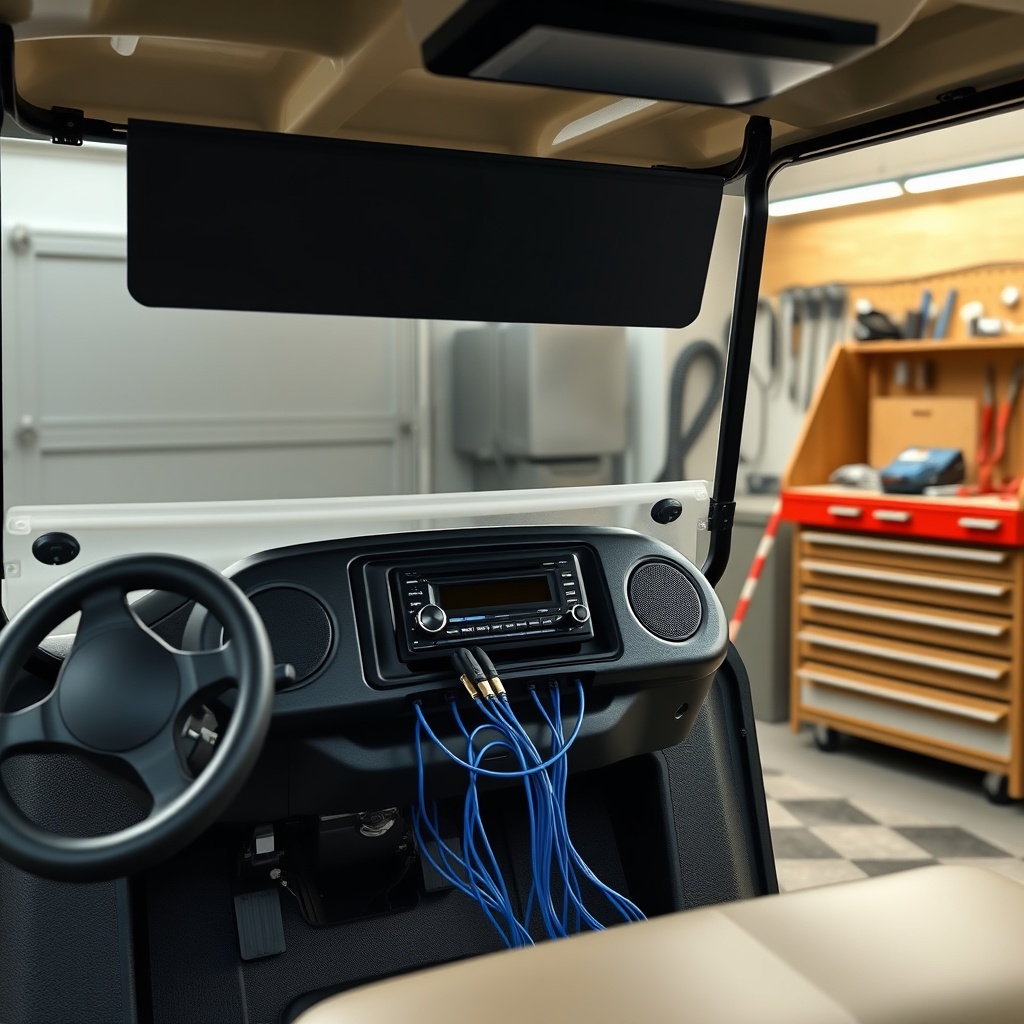
How Do You Access the CartCraft Dashboard for Wiring?
Panel removal is straightforward on CartCraft models. Locate the four Phillips-head screws along the top edge of the dash panel. Carefully pry the panel away from the frame using a plastic trim tool; start at the centre and work outward. Disconnect the 12-volt accessory plug and the USB lighting harness if present. With the panel loose, you can access the rear cavity where the head unit and wiring will sit.
For models with a steel dash, use a Dremel tool with a cutting wheel to enlarge the radio opening. Ensure you remove all burrs with a file to prevent wire chafing. If your CartCraft has a factory radio blanking plate, it simply snaps out after undoing two M4 screws.
- Step 1: Disconnect the main battery pack using the shut-off switch near the charger port.
- Step 2: Remove the four dash panel screws. Keep them in a container.
- Step 3: Gently pull the dash panel outward, unplugging any harnesses as needed.
- Step 4: Set the panel aside on a soft cloth to prevent scratches.
How Do You Run Speaker Wires Without Damaging the Upholstery?
Routing speaker wire is the most delicate part of the installation. On CartCraft units with fold-down windshields, run the cable along the existing wiring loom that goes to the overhead console. Use a fish tape to pull the wire through the grommet where the main harness passes through the body panel. For rear speakers, drop the wire behind the cargo box or under the seat moulding.
Plastic trim along the floor panels can be lifted gently with a flat tool. Tuck the wire into the factory channel, avoiding any moving parts such as the differential or brake cables. Secure the wire with zip ties every 30 cm (12 inches) along the frame. Use self-adhesive cable clips for exposed runs.
Never run speaker wire parallel to high-current motor cables, as this induces alternator whine in the audio. A good rule is to run signal wires at least 30 cm (12 inches) away from the motor controller and battery cables. For more on handling electrical upgrades safely, read our How to Install a Custom Steering Wheel on a CartCraft Golf Cart guide, which details similar dash removal steps.
How Do You Wire the Voltage Reducer for a 48V CartCraft?
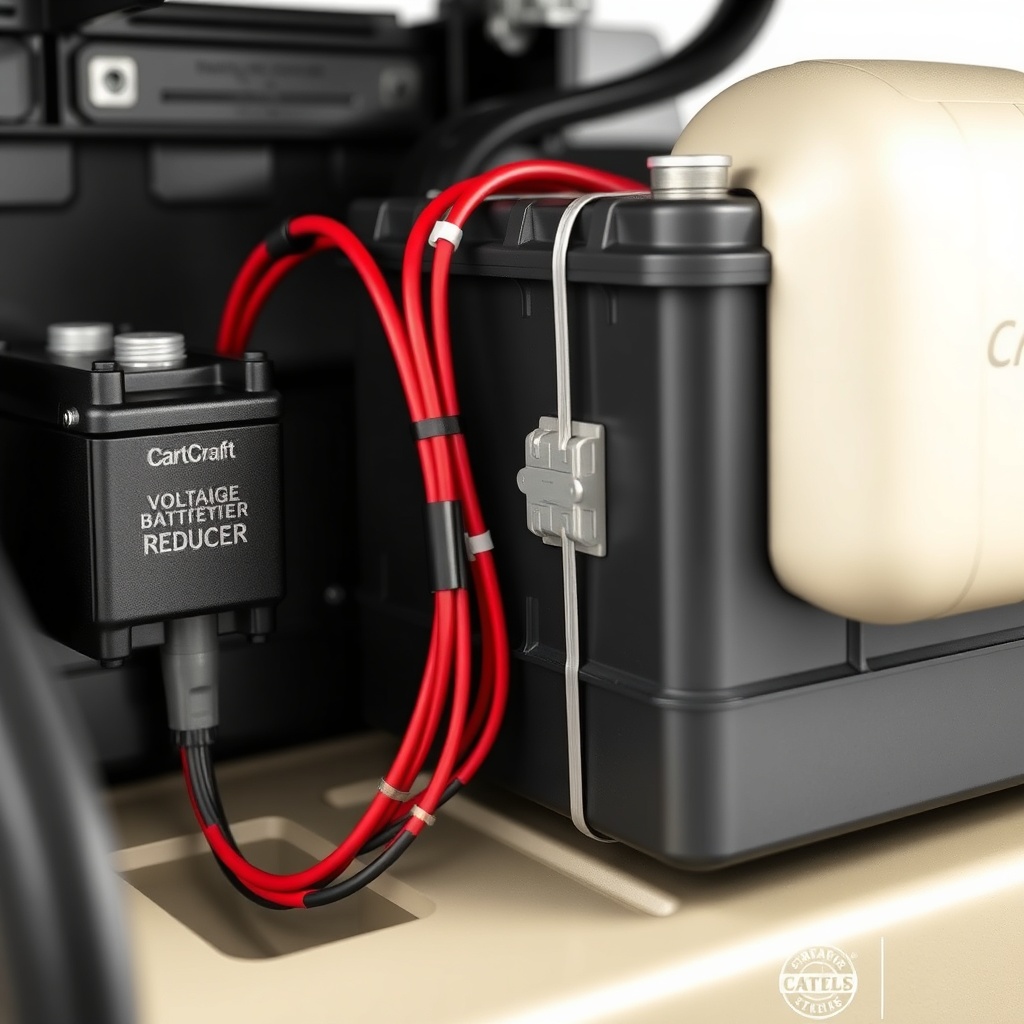
The voltage reducer is the heart of the sound system’s electrical conversion. Mount the unit in a dry, ventilated location—often under the seat or inside the battery compartment—using a bracket that ensures it does not touch metal directly. Connect the reducer’s input wires to the main battery pack: positive (red) to the battery pack positive terminal via a 20-amp inline fuse, and negative (black) to the battery pack negative terminal. The output side provides a clean 12V supply, rated for 30 amps continuous, enough for head unit and speakers.
Use a multimeter to confirm the output voltage is between 11.5V and 13.5V before connecting the stereo. Tape or heat-shrink all connections to prevent short circuits. Finally, connect the head unit’s constant 12V wire (yellow) and the ignition wire (red) to the reducer’s output terminal. The ground wire (black) should go to a chassis ground point on the CartCraft frame.
| Speaker Distance from Head Unit | Speaker Wire Gauge (AWG) | Recommended RMS Power Handling | Maximum Current Draw (at 4 ohms) |
|---|---|---|---|
| Up to 1.5 m (5 ft) | 16 AWG | 50W per channel | 3.5 A |
| 1.5–3 m (5–10 ft) | 14 AWG | 100W per channel | 7 A |
| 3–6 m (10–20 ft) | 12 AWG | 150W per channel | 10.5 A |
| Over 6 m (20 ft) | 10 AWG | 200W per channel | 14 A |
If your CartCraft features a lifted suspension, be aware that longer wire runs may be required. Use the table above to select the correct gauge for rear speakers. Upgrading tires can also affect wiring routing; check our How Tire Size Affects Performance and Speed on CartCraft for insight on clearance changes.
How Do You Waterproof and Secure the Installation?
Golf carts face rain, morning dew, and carwash spray, so waterproofing is non-negotiable. Apply dielectric grease to all speaker terminals and connection plugs. Use a marine-grade butt connector or crimp-and-seal connector for every joint. Place a waterproof fuse holder as close to the battery as possible to protect the entire circuit.
For the head unit, install a weatherproof cover that seals the front face when not in use. Consider an aux-in port cover if your unit has a 3.5 mm jack. Sealing the back of the radio cavity with a rubber grommet around the harness prevents moisture from dripping into the wiring.
Secure the voltage reducer with stainless steel hardware and nylon lock nuts to resist vibration. Apply a bead of silicone sealant around the reducer’s mounting bracket to block water ingress. Finally, test all connections with a multimeter before closing any panels. For further protection, refer to the CartCraft Suspension Upgrade Guide: Improve Ride Comfort and Handling to learn how a smoother ride reduces vibration fatigue on electronics.
What Owners Say About Their CartCraft Sound System Upgrades
Owners consistently praise the clarity achieved with a basic two-speaker setup. Some note that factory speaker locations in the roof or near the front cowl provide excellent soundstage, while others prefer aftermarket pods mounted on the roll cage for better projection. Common feedback includes the necessity of a voltage reducer—several owners experienced blown head units when connecting directly to a single 12V battery from a 48V pack, causing voltage spikes. Those who followed proper reducer installation reported no issues for years. A few owners mention that adding an amplifier for a subwoofer requires an additional 30-amp reducer, but the bass is worth the extra expense. Many recommend a Bluetooth-enabled head unit for convenience, as it reduces the need for exposed wiring to a phone holder. Overall, owners agree that sound quality dramatically improves the social experience of a CartCraft, whether at a tailgate or on a sunset cruise.
Frequently Asked Questions
Q1: Do I need a voltage reducer for a 48V CartCraft sound system?
A1: Yes, unless your head unit is specifically designed for 48V input (rare). Most car audio equipment requires 12V. Without a reducer, you risk damaging the stereo or causing a fire.
Q2: How much does a basic CartCraft sound system cost?
A2: A marine head unit and speaker set costs between £80 and £150 (approximately $100–$190). A voltage reducer adds £30–£60 ($40–$75). Budget an extra £20 ($25) for wiring and hardware. Total around £130–£230 ($165–$290).
Q3: Can I install the speakers in the stock CartCraft roof?
A3: Yes, many CartCraft units have pre-drilled holes in the roof lining for 4-inch speakers. For 6.5-inch speakers, you may need to cut an opening and reinforce the area with a plywood ring.
Q4: How long does the installation take?
A4: For a first-time installer, plan 4–6 hours. Experienced users can complete it in 2–3 hours. Most time is spent on wire routing and dash removal.
Q5: Will the sound system drain the battery quickly?
A5: A typical stereo draws 5–10 amps at moderate volume. On a standard 100Ah 48V pack, you can play for 8–10 hours before hitting 50% discharge. For battery preservation, see CartCraft Battery Charging Best Practices for Extended Battery Life.
Q6: Can I add an amplifier and subwoofer to my CartCraft?
A6: Absolutely. You will need a second 30-amp voltage reducer for the amplifier and a proper wiring kit. The subwoofer must be in a sealed box and placed in the cargo area. Ensure the amplifier is marine-rated and the box is anchored to avoid shifting during turns. For more power, consider reading How to Upgrade the Clutch on a CartCraft for Better Performance to handle the added weight.